crisp-game-lib-portable-funkey
crisp game lib portable for funkey
Project maintained by joyrider3774 Hosted on GitHub Pages — Theme by mattgraham
crisp-game-lib-portable-funkey




Seperate repository for funkey-s / RG-Nano as i had to modify games and library to account for a bug that only occurs on those devices. The trig functions need to have normalized angles (between 0 & 2 x PI) or it will fail over time and draw squares instead of circles and so. And i could not easily fit in those changes in the original authors repository where i plan to PR the SDL1 & SDL2 port against
original repo is here https://github.com/abagames/crisp-game-lib-portable/ this version is based on my SDL1 port with adaptations for the funkey and rgnano Below you can find the original Readme
Screenshots
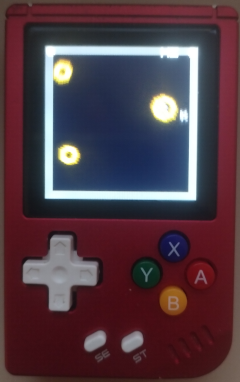
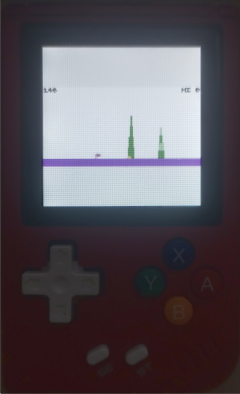
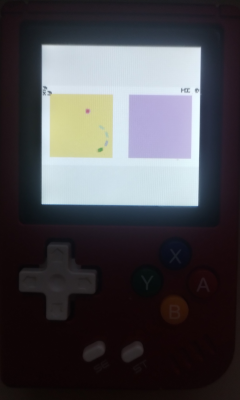
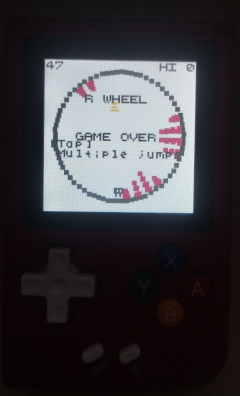
Playing the Game
The library starts up on the menu where you choose a game and play it, at the beginning of each game it will tell you the controls / behaviour
Controls
- Dpad: Select menu’s
- A: Confirm in menus, button action in game
- B: On menu item lower in menus, button action in game
- Y: Switch sound calculation (default does sound the best)
- X: Switch Alternate views & overlays which are saved per game
- START: Switch between dark color mode enabled or not, this is saved per game
- L: Decrease Volume
- R: Increase Volume
- Menu button: Quit current game, exit game
Preview for retrofe
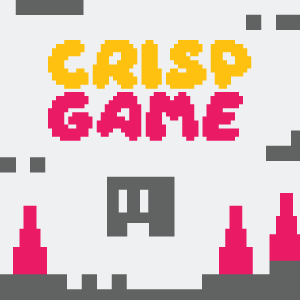
- created by Sai from funkey discord

- created by me using images from Sai above and banner from TommyShots previews
crisp-game-lib-portable
Minimal C-lang library for creating classic arcade-like mini-games running on devices and browsers. Re-implemented version of crisp-game-lib for smaller devices. You can play sample games in your browser.
Target devices


- M5StickC PLUS
- M5Stack BASIC
- Playdate (Download crisp-games.pdx.zip and sideload a game.)
- Adafruit PyBadge
- Arduboy
- ESP32-2432S028R
- ESPboy
Sample game codes and reference
How to write your own game
-
Copy game_Template.c to
game[your game name].c -
Comment out other games in menuGameList.c and add
void addGame[your game name]();andaddGame[your game name]()...(snip)... void addGameReflector(); void addGame[your game name](); void addGames() { /*addGameThunder(); ...(snip)... addGameReflector();*/ addGame[your game name](); } -
Write your own game in
game[your game name].cand renamevoid addGame_Template() {tovoid addGame[your game name]() { -
Build for browser and debug
-
Once the game is complete, revert other games that were commented out in menuGameList.c and build it for other devices
Build for [target device]
M5StickCPlus, M5Stack, PyBadge
-
Install LovyanGFX library
-
Create
cglp[target device]/directory (e.g.cglpM5StickCPlus/) -
Copy
cglp[target device].ino, ./src/lib/* and ./src/games/* files to the directory- cglpM5StickCPlus.ino
- cglpM5Stack.ino (ported by OBONO)
- cglpPyBadge.ino
-
Verify and upload
cglp[target device].inowith Arduino IDE
Playdate
-
Copy ./src/cglpPlaydate directory
-
Create
cglpPlaydate/builddirectory -
Move to
cglpPlaydate/builddirectory andcmake .. -
Open
crisp-game-lib-portable.slnwith Visual Studio -
Build the solution (see Building for the Simulator using Visual Studio)
Arduboy
Note: Some features are limited due to device resource limitations.
- crisp-game-lib-arduboy (ported by OBONO)
ESP32-2432S028R
- cglp-dentaroUI (ported by dentaro)
ESPboy
- cglpESPboy (ported by ESPboy)
Browser
-
Install Emscripten
-
Run
devnpm script to start the dev server and watch js files -
Run
dev_cnpm script to watch c files and build wasm files
How to operate
Back to the game selection menu
- Hold down the A button and press the B button (M5StickCPlus, M5Stack)
- Press the SELECT button (PyBadge)
- Press A, B, Up and Right buttons simultaneously (Playdate)
- Press the X key while holding down the up and down arrow keys (Browser)
Toggle sound on/off
- Press the B button (M5StickCPlus)
- Press the C Button (M5Stack)
- Press the START button (PyBadge)
- Press the Z key while holding down the up and down arrow keys (Browser)
Key assignment on browser
- (A) X key, (B) Z key, (left/right/up/down) arrow keys
How to port the library to other devices
The source codes for library and games are written device-independent. Besides, you need to implement device-dependent code for the following functions:
-
Device initialization function (e.g.
setup()in Arduino) that callsinitGame() -
Frame update function (e.g.
loop()in Arduino) that callssetButtonState()andupdateFrame()- The state of the button press must be notified to the library with the
setButtonState()
- The state of the button press must be notified to the library with the
-
Drawing and audio processing functions that are defined in machineDependent.h
md_getAudioTime()function should return the audio timer value in secondsmd_playTone(float freq, float duration, float when)function should play a tone withfreqfrequency,durationlength (in seconds) and staring fromwhenseconds on the audio timermd_drawCharacter(unsigned char grid[CHARACTER_HEIGHT][CHARACTER_WIDTH][3], float x, float y, int hash)function should draw the pixel art defined bygrid[y][x][r, g, b]at position (x, y). Sincehashwill be the same for the same pixel art, you can cache pixel art images usinghashas an index and avoid redrawing the same image
Sample device-dependent codes are cglpM5StickCPlus.ino and cglpPyBadge.ino.
Porting games from crisp-game-lib using an AI chatbot
You can use an AI chatbot to port game source code for crisp-game-lib to crisp-game-lib-portable. By providing the prompt and set of files to the chatbot, you can obtain the code ported to the C language. I have tried this using Claude 3 Opus, but it is expected to work to some extent with other LLMs as well. The ported code is not perfect, so it needs to be manually checked and corrected.